1.6.0 - 19 September 2026
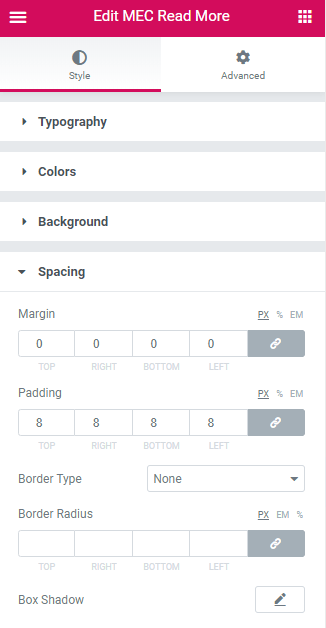
- Added: Show Booking Button option to the Read More widget.
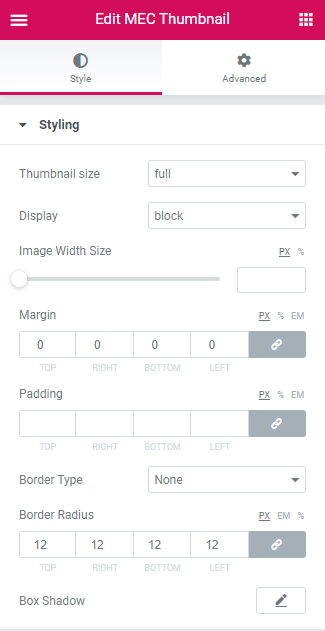
- Added: Image height control to the Thumbnail widget.
- Fixed: Security issues in the license activation process.
- Fixed: Conflict when using more than one instance of a shortcode on the same page.
- Fixed: WordPress doing it wrong notice on plugin load.
- Fixed: Broken or invalid category icons in shortcodes.
- Fixed: Date widget preview issue when no events exist.
- Improved: Excerpt trimming to add an ellipsis at the cut-off point.
- Improved: Plugin Check compliance (escaping, sanitization and text domains).
1.5.0 - 16 December 2025
- Fixed: Conflict and compatibility issues with WPML.
- Fixed: Missing end date option in shortcode settings for Shortcode Designer skins.
- Fixed: End date display issues and incorrect repetition for multi-day events.
- Fixed: All Day text remains visible when Hide Event Time is enabled.
- Fixed: Issues with ACF and MEC custom fields functionality and link population.
- Fixed: HTML tags appearing in ACF WYSIWYG fields.
1.4.0 - 28 April 2025
- Fixed: A date display issue for multi-day events
- Fixed: Problem with displaying and linking custom fields from ACF
- Fixed: Missing category icon
- Fixed: Link Target setting not working properly for Title widget
1.3.6 - 21 December 2024
- Fixed: Typography controls
- Fixed: Cost widget
- Fixed: Date label
1.3.5 - 7 July 2024
- Improved: Load styles and scripts
- Fixed: Fatal error and warnings
- Fixed: Some minor issues
1.3.1 - 29 August 2023
1.3.0 - 15 August 2023
- Added: Excerpt length to widget
- Added: ACF support
- Fixed: Some minor issues
1.2.11 - 13 April 2023
- Fixed: Display date widget
1.2.10 - 31 December 2022
- Fixed: Disable Book Event button
- Fixed: Date format
- Fixed: Saving date filter
- Fixed: Referred date
- Fixed: MEC sold out
1.2.7 - 13 November 2022
- Added: More info widget
- Fixed: Cost widget
1.2.6 - 3 October 2022
- Fixed: Choose design in shortcodes
- Fixed: Total User Booking Limits
- Fixed: Display cost module
1.2.5 - 29 June 2022
- Fixed: Activation section in backend
1.2.4 - 19 May 2022
- Fixed: Telegram social icon styling
- Fixed: Excerpt widget line break and link
- Fixed: Some minor issues
1.2.3 - 5 May 2022
- compatibility: Modern Events Calendar v6.5
- Fixed: Some issue related to multiple day events
- Fixed: Label widget
- Fixed: Some minor issues
1.2.2 - 12 August 2021
- Added: Ability to show multi speakers
- Fixed: An issue regading the time and date
- Fixed: Fatal error when MEC is disabled
- Fixed: Location widget
- Fixed: Some notice on normal label on shortcodes
- Fixed: Some minor issues
1.2.1 - 12 May 2021
- Compatibility: With Elementor Version 3.2.0
- Fixed: Local time widget
- Fixed: Date and time in the custom day repeating
- Fixed: Conflicts with another shortcode
- Fixed: AM/PM issue in the time format
- Fixed: An issue regarding the weekday
- Fixed: Shortcode in category archive page
- Fixed: Cancellation issue in the frontend
- Fixed: Some minor issues
1.2.0 - 10 March 2021
- Added: Speaker widget
- Added: Cost widget
- Compatibility: With Modern Events Calendar Version 5.17.5
- Improved: Auto-update
- Fixed: The wrong date widget
- Fixed: The wrong time widget
- Fixed: The wrong localtime widget
- Fixed: The wrong countdown widget
- Fixed: The wrong link widget
- Fixed: An issues regarding the load more
- Fixed: An issues regarding translation
1.1.6 - 15 November 2020
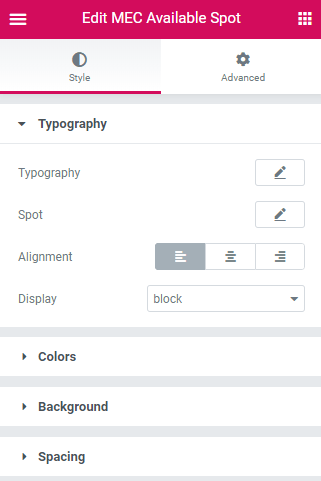
- Fixed: Available Spot Widgets
1.1.5 - 9 August 2020
1.1.4 \u2013 04 August 2020
- Fixed: Read more widget link action
- Fixed: Read more widget style
- Fixed: Time widget style
- Fixed: Countdown widget style
- Fixed: Label widget style
- Fixed: Dabel widget style
1.1.3 \u2013 5 July 2020
- Added: Add custom shortcode on wizard
- Fixed: Month divider on list view
- Fixed: Event title link
1.1.2 \u2013 11 June 2020
- Compatibility: With Modern Events Calendar Version 5.6.0
1.1.1 - 9 May 2020
- Fixed: Fatal error regarding the date
1.1.0 - 28 April 2020
- Added: Normal labels widget for shortcodes
- Added: Cancellation reason widget
- Added: Local time widget
- Fixed: License notice
1.0.4 - 15 March 2020
- Fixed: Hide event time
- Fixed: Date format
1.0.3 - 7 February 2020
- Fixed: Showing the wrong date when an event has a repeating
1.0.2 - 30 January 2020
- Fixed: fopen, fread, fclose warnings
1.0.1 - 23 January 2020
- Fixed: Showing Elementor widgets
1.0.0 - 11 January 2020